What are Graphic Designing Apps? Start Design with the Apps
Published: 10 Apr 2026
Ever looked at a cool social media post or logo and thought, “Can I make something like this too?” But then you see so many apps and feel stuck about where to begin. It can feel confusing at first, especially when every tool claims to be the best.
In this guide, I will make things simple and help you understand what are graphic designing apps, how they fit into your daily work, and how you can start using them with ease. You will also learn how to pick the right app without wasting time. I will keep things clear, so you don’t feel confused. By the end, you will have a clear direction and feel ready to try these yourself.
What is a Graphic Design App?
Graphic designing apps are tools that help you create visual content on a phone or computer. You can use them to make posts, logos, banners, and other designs. They provide ready-made templates, fonts, and images to make the work easy.
You can edit text, colours, and pictures without needing advanced skills. In simple words, they create design work quickly and simply for anyone. Now you have a clear idea. But not all apps work the same way. Let’s look at the best apps for designers.
What Types of Graphic Designing Apps are Available?
The best graphic design apps come in many shapes and styles. Each one is built to serve a specific purpose. Some are easy for beginners, while others are meant for advanced users. These types make it easier to find the right app for your needs.
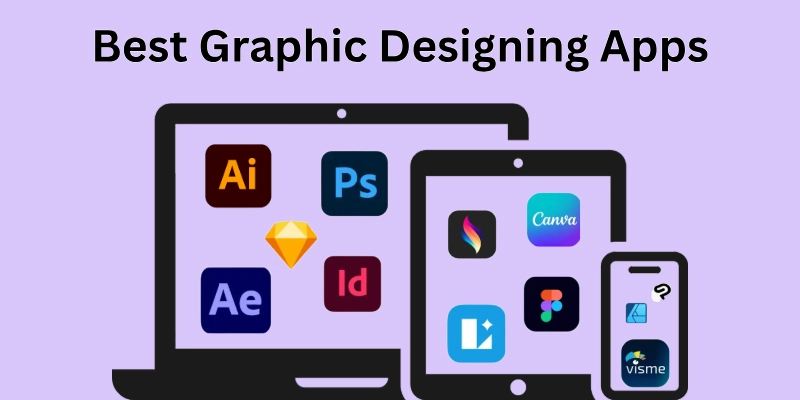
- Beginner-Friendly Apps
- Professional Design Apps
- AI-Based Design Apps
Now let’s see which app is best for whom?
Beginner-Friendly Apps
These apps are perfect for people just starting with design. You don’t need prior experience, and the tools are simple to understand. They make it easy to create quick and attractive visuals. Popular beginner-friendly apps include Canva, Crello, Visme, Snappa, and Adobe Express.
- Simple and easy to use.
- Ready-made templates for fast designs.
- Drag-and-drop editing tools.
- Basic fonts, colours, and images are included.
- No advanced skills required.
- Great for social media posts and small projects.
Professional Design Apps
Professional apps are made for experienced designers who want full control. They allow you to create detailed, high-quality designs for both digital and print use. These apps have advanced tools for precise work. Popular professional apps include Adobe Photoshop, Adobe Illustrator, CorelDRAW, Affinity Designer, and Sketch.
- Full control over every design element.
- Supports complex layouts and layers.
- High-quality output for print or digital use.
- Advanced tools for text, colours, and effects.
- Ideal for logos, banners, and illustrations.
- These apps require some design knowledge.
AI-Based Design Apps
AI-based apps help speed up the design process using smart features. They can suggest layouts, colours, and even generate visuals from simple ideas. These apps help beginners, professionals, and experts work faster and save time. Some well-known AI-based apps include Designs.ai, Looka, Fotor, Tailor Brands, and Bannersnack.
- Quickly generate visuals using smart features.
- Suggests layouts and fonts automatically.
- Saves time on repetitive tasks.
- Helps create ideas fast for beginners and pros.
- Can turn text or concepts into images.
- Perfect for fast social media content and drafts.
These graphics apps are great for anyone who needs them, but not all of them work on all phones. Which ones do? Let’s see.
Mobile Design Apps
Mobile design apps let you create visuals directly from your phone or tablet. Whether you want to make social media posts or logos, there’s an app for every device. If you’re looking for apps for graphic design on Android, iPhone, or iPad, the apps below are great options.
- Canva: Android, iPhone, iPad
- Adobe Express: Android, iPhone, iPad
- Over – Android, iPhone
- Procreate Pocket: iPhone
- Procreate: iPad
- PicsArt: Android, iPhone
- Design Studio: iPhone, iPad
- Desygner: Android, iPhone, iPad
- Snapseed: Android, iPhone
- Tayasui Sketches: iPad, iPhone
With so many mobile apps available, finding the right one can make designing faster and more fun. Let’s look at some useful apps for beginners that are a source of income.
Graphic Design Apps for Online Earning
Graphic designing is a useful skill for people who enjoy creating visual content on mobile or laptop. These apps can also help users build a portfolio and find online earning opportunities over time.
- Canva: Easy app for making posts, logos, and templates.
- Adobe Express: Quick design tool with ready-made layouts.
- PicsArt: Useful for photo editing and creative designs.
- PixelLab: Popular for text designs and YouTube thumbnails.
- Ibis Paint X: Good for drawing and digital artwork.
- Infinite Design: Helps create clean vector graphics.
- Desygner: Simple tool for flyers, banners, and posts.
- Snapseed: Used for basic and advanced photo editing.
- Lightroom Mobile: Helps improve photo colours and quality.
- Sketchbook: Best for drawing and sketching practice.
Start small, stay consistent, and keep improving your designs every day. One good app can be your first step toward real online earnings. Now, let’s take a look at the future of graphic design apps and what’s coming next.
Future of Graphic Designing Apps
Graphic design apps are changing faster than ever. New features are making it easier for anyone to create professional-looking visuals. Designers will have more tools to save time and improve quality, even on mobile devices. The focus will be on speed, simplicity, and flexibility.
We can also expect more smart tools that help with colours, layouts, and ideas. Collaboration will become easier, making teams work together from anywhere. Apps will continue to adapt to trends, making design accessible for beginners and advanced users alike. The future looks bright for anyone who wants to create designs quickly and effectively.
The world of graphic design is growing fast, and the tools you use today will only get better tomorrow. Let’s wrap up with a quick conclusion and key takeaways.
Conclusion
So far, we have known about what are graphic designing apps, their types, popular tools, mobile apps for earning, and even what the future holds. These apps make creating visuals easier for beginners and advanced users alike. My recommendation, guys, is to start with one simple app and practice regularly.
The more you use it, the faster you will get at making eye-catching designs. Remember, good visuals can make a big difference in social media, business, and personal projects. Keep exploring and trying new tools, buddies, and don’t be afraid to experiment. Let’s dive into the questions everyone’s curious about.
FAQs
Hey guys, do you have any questions about graphic design apps? Let’s answer the most common questions that you might not have thought of.
Graphic apps like Canva and Adobe Express are easy for beginners. They let you create social media posts, banners, and simple logos quickly.
Professional designers often use Adobe Photoshop, Illustrator, and Figma. These tools provide full control over layouts and colours. They are perfect for high-quality designs and complex projects.
A graphic design app is software you use to create and edit visual things like images, posters, logos, banners, and social media posts. Some popular graphic design apps are Canva, Adobe Photoshop, and Figma.
Yes, you can do designing without a computer using mobile apps or tablets. Tools like Procreate for iPad or Adobe Express on phones let you create professional visuals. You don’t need a PC to start designing today.
If you want to start without spending money, check out free graphics design apps like Canva, Fotor, and Desygner. They give you templates, fonts, and images for basic design work. These are perfect for social media posts or personal projects.
Graphic arts apps help you create illustrations, logos, and digital paintings. Apps like Procreate, Adobe Fresco, and SketchBook offer brushes, layers, and colour tools. They are designed to make art creation easier for beginners and professionals alike.
Yes, a design app for business, like Canva Pro or Adobe Express, helps create marketing materials fast. You can make flyers, social media banners, and presentations. They save time while keeping your branding consistent.
If you use Apple devices, apps like Procreate, Adobe Express, and Affinity Designer are perfect for graphic design for Apple. They work smoothly on iPhones and iPads. You can create illustrations, social posts, and logos easily.
For Apple users, the best designing apps for iPhone include Canva, Adobe Express, and Over. For tablets, the best apps for graphic design on iPad, like Procreate and Affinity Designer, are ideal.
Design maker app options help you create logos, posts, and banners quickly, while iPad apps for logo design make logo creation simple.

- Be Respectful
- Stay Relevant
- Stay Positive
- True Feedback
- Encourage Discussion
- Avoid Spamming
- No Fake News
- Don't Copy-Paste
- No Personal Attacks
- Be Respectful
- Stay Relevant
- Stay Positive
- True Feedback
- Encourage Discussion
- Avoid Spamming
- No Fake News
- Don't Copy-Paste
- No Personal Attacks
