What are Graphic Designing Platforms? Learn How They Work
Published: 9 Apr 2026
You hear people talking about Canva, templates, and design tools, but you still feel confused. But are these software, apps, or something else? What are graphic designing platforms, and why do so many beginners use them today? I also had the same confusion when I started.
But once I used platforms like Canva, I understood that these are simple tools that help you design without stress. You also do not need to learn hard tools or spend hours practicing. That is why beginners use graphic designing platforms to start fast and even earn online. You do not need to be a designer to start. You just need the right platform and should know what it really means.
Definition of Graphic Designing Platforms
A graphic design platform’s meaning comes in a simple online tool where you create visuals like posts, logos, and thumbnails. It gives you ready templates, so you do not start from zero. You just pick a design, edit the text or images, and download it.
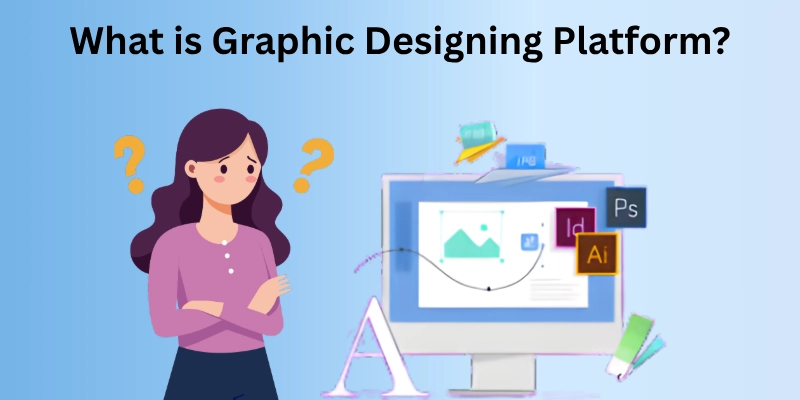
Example of graphic design platforms
Graphic designing platform like Canva can create an Instagram post in minutes by choosing a template and changing the text and colours. From my experience, this makes design easy for beginners without learning complex tools.
Just try one design yourself after seeing the platform types, and you will see how simple it really is.
Types of Graphic Designing Platforms
Not all graphic designing platforms work in the same way. Each type is built for a different need and skill level. I have used all three, and each feels different in speed and control; the difference becomes clear once you try them.
- Online Platforms
- Software-Based Platforms
- Mobile Design Apps
1. Online Platforms (Browser-based)
You open your browser and start designing right away. There is no setup or waiting time. This makes it a great choice when you need quick results. I often use it when I have limited time.
- Works on any device with internet.
- No installation required.
- Ready templates for a fast start.
- Simple drag-and-drop system.
- Best for social media designs.
2. Software-Based Platforms
Here, you install the program on your computer before using it. It takes a bit more effort to learn, but you get deeper control. I prefer this when I want detailed and polished work.
- Installed on a PC or a laptop.
- Advanced tools for editing.
- More control over design elements.
- Can work without internet.
- Suitable for professional projects.
3. Mobile Design Apps
You can design directly from your phone anytime, anywhere. It feels quick and flexible, especially for daily tasks. I use it when I need to make fast edits or post content on the go.
- Easy to use on smartphones.
- Quick design and editing.
- Simple layouts and tools.
- Useful for instant posting.
- Good for beginners and quick tasks.
Try a few options on your own, and you will quickly notice which one feels right and which one does not. But here are the pros and cons of graphic platforms that are most important.
Pros and Cons of Graphic Designing Platforms
Graphic designing platforms make design easy, but they are not perfect. Some features help you work faster, while others can limit your control. I have used them for quick projects and also faced a few limits.
It is important to know both sides before you choose one. This helps you avoid problems and pick the right tool for your work.
| Advantages |
|---|
|
Cons of designing platform:
|
| Disadvantages |
|---|
|
Pros of the designing platform:
|
Think about what you need most from a platform, and choose one that makes your work easier and faster. You should also read some tips before picking the best platform. Let’s see.
Tips to Choose the Right Platform
I have tried out a lot of platforms, but these tips will help you choose the one that can work best for you. Here are some simple tips to guide your choice:
- Check Skill Level: Choose a platform that matches your design experience.
- Define Purpose: Pick a tool based on the type of design you need, like social media posts, logos, or UI design.
- Look at Features: Ensure it has templates, fonts, and tools you actually need.
- Device Compatibility: Make sure it works on your computer, tablet, or phone.
- Budget and Plans: Check if it offers free options or affordable paid plans that fit your budget.
- Ease of Use: Pick a platform that is simple and fast to use without long learning curves.
- Support and Tutorials: Platforms with guides or help sections make learning and solving issues easier.
- Export Options: Ensure you can save your designs in the format you need for printing or posting online.
- Collaboration Tools: If you work with a team, choose one that allows sharing and teamwork.
- Popularity and Reviews: Platforms with many users and good feedback usually have reliable performance.
Follow these tips, and you will quickly find a platform that feels easy and works perfectly for your designs. Now let’s take a final takeaway.
Conclusion
Today, we have covered what are graphic designing platforms, its types, pros and cons, and tips to choose the right one. You now know how these platforms help beginners and professionals create designs quickly and easily.
From my experience, picking the right platform is very important. It saves time, reduces stress, and makes your designs look professional even if you are just starting. I personally recommend starting with an online platform like Canva to get comfortable and then exploring others as you grow.
So guys, try one platform today, practice a little, and continue learning for new tricks to make your designs better every day!
FAQs
Here are some common questions people ask about graphic designing platforms and how they work in real life.
Yes, many platforms have mobile apps that work on phones and tablets. These let you design posts and banners while you are on the move. They are usually easy to use with touch controls.
A graphic design platform for freelancers and beginners, like Canva or similar browser tools. They are quick to use and have many templates for social posts, logos, and banners. These tools help you build a portfolio fast.
No, you don’t need any design skills to start. These platforms give you ready templates and easy editing tools. With a little practice, you can make nice visuals quickly.
Platforms are easier for beginners, while traditional software gives more advanced control. If you want simple and fast results, platforms are better. For very detailed work, professional software might be needed.
Yes, many platforms allow teamwork and sharing. You can invite others to edit or review your designs. This makes group projects much easier.
- Be Respectful
- Stay Relevant
- Stay Positive
- True Feedback
- Encourage Discussion
- Avoid Spamming
- No Fake News
- Don't Copy-Paste
- No Personal Attacks
- Be Respectful
- Stay Relevant
- Stay Positive
- True Feedback
- Encourage Discussion
- Avoid Spamming
- No Fake News
- Don't Copy-Paste
- No Personal Attacks
