Graphic Designing Course Description: Learning Roadmap
Published: 11 Apr 2026
Are you trying to understand what a graphic designing course description really includes or why it matters? Many beginners feel lost when they see different courses with unclear details. I have seen this again and again, and I know that when a course description is simple and clear, it helps you decide faster and choose the right learning path.
It shows the exact skills you will learn and the tools you will use. It also helps you match the course with your goals and avoid wrong choices. Read this guide to understand every part of a graphic designing course description in a simple way.
What is a Graphic Designing Course?
Many South Asians also search for a graphic designing course, me kya hota hai, so you learn both creative thinking and practical skills to create designs that people understand and like.
In an introduction to graphic design course, you start with the basics like colours, fonts, and layouts and are taught how to design and communicate ideas visually. Then move to real projects and learn advance ai with a graphic design course.
From my experience, this step-by-step learning helps beginners feel comfortable and improve fast. You not only learn tools but also understand how to turn ideas into clean and professional designs.
Graphic Designing Course Details
In this part, you will see the main skills and the graphic design course details. These are the main topics most courses cover. Focusing on these modules helps students learn clearly and practically.
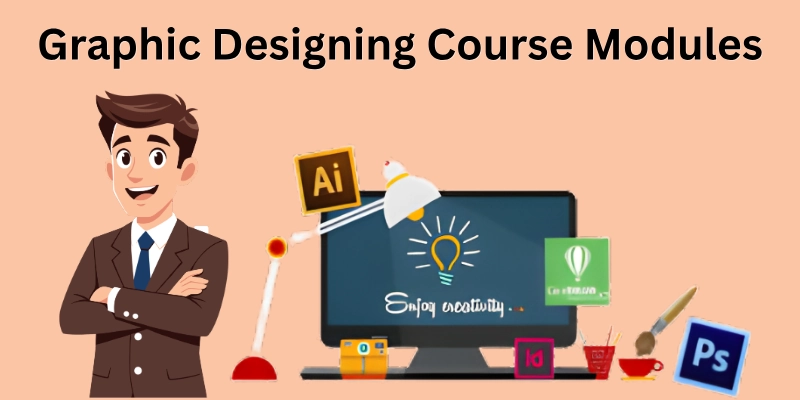
- Graphic Design Basics
- Design Principles
- Graphic Design Tools
- Image Editing and Effects
- Logo and Branding Design
- Social Media & Marketing Design
- Portfolio Building
- Freelancing and Earning Basics
This is the best graphic design course overview for students and beginners, which we will see in detail.
1. Graphic Design Basics
We start with the foundation of design. You will understand how visuals communicate ideas. This helps you think like a designer before touching any tools and turn simple ideas into creative designs.
- Design concepts
- Visual communication
- Idea development
- Understanding audience needs
- Creative thinking basics
2. Design Principles
Here, you learn the rules that make designs look professional. You will see how colours, fonts, and layout work together. This section helps you make your designs balanced and clear and shows how small details can change the whole look.
- Color theory
- Typography
- Layout and balance
- Contrast and alignment
- White space usage
3. Graphic Design Tools
This is where you learn the software used by professionals. You start with simple tasks and gradually explore advanced features. By the end, you feel confident using these tools for real projects. It makes designing faster and easier.
- Adobe Photoshop
- Adobe Illustrator
- Canva
- Figma
- Basic tool navigation
4. Image Editing and Effects
You learn how to make images look perfect for projects. Simple edits like colour correction or background removal can make designs stand out. This part helps you polish visuals and add effects creatively. You also learn tricks that save time and improve quality.
- Photo editing
- Background removal
- Retouching basics
- Color correction
- Filters and effects
5. Logo and Branding Design
This part teaches how to create logos and brand identities. You learn how colours, fonts, and shapes represent a brand. It also shows how to make designs consistent and professional. By the end, you can create logos that tell a story.
- Logo creation
- Brand identity basics
- Color selection
- Font pairing
- Brand consistency
6. Social Media & Marketing Design
You will learn how to create posts, ads, and banners for social media. The focus is on attracting attention and engaging people. This is helpful to design for different platforms with the right sizes and styles. Your work becomes ready for real campaigns.
- Social media posts
- Ads and banners
- Content design basics
- Thumbnail design
- Campaign visuals
7. Portfolio Building
Here, you learn how to collect your best work in one place. A strong portfolio helps you show your skills to clients or employers. You also practice presenting projects clearly and professionally. It gives confidence to start freelancing or applying for jobs.
- Project creation
- Portfolio setup
- Case study basics
- Presentation skills
- Showcasing work
8. Freelancing and Earning Basics
This part teaches how to earn with your skills and how to find clients, communicate clearly, and set fair prices. It also shows simple ways to start on platforms like Fiverr and Upwork. By the end, you know how to turn design skills into real income.
- Client handling
- Fiverr basics
- Upwork basics
- Pricing basics
- Communication skills
This was the complete information about the graphic design course. But the question arises: what are the prior requirements for graphic designing course?
Graphic Course Requirement
Before you join a graphic design course, it’s important to know what you need. Requirements help you prepare your tools, skills, and mindset. Whether you choose a graphic designing course offline, an online course, or a free course with a certificate, meeting these requirements makes learning easier and faster.
Here’s a clear list of what you typically need:
- Basic computer skills: You should know how to use a computer and manage files.
- Laptop or desktop: A device with enough speed for design software is important.
- Internet connection: Needed for online resources, updates, or tutorials.
- Design software: Programs like Photoshop, Illustrator, or Canva are required.
- Creative mindset: A willingness to try ideas and think visually.
- Time commitment: Dedicate regular hours to practice and complete projects.
- Interest in learning: Motivation to explore design, colours, and layouts.
- Reference materials: Books and a graphic designing course template help you practice efficiently.
- Portfolio setup: Collect your best work to track progress and showcase skills.
- Basic photography knowledge: Helpful for image editing and creating realistic designs.
These requirements prepare you for a smooth learning journey and help you get the most out of the course. Once you complete the course, your new skills can open many doors. Let’s explore the real career opportunities you can grab with graphic design.
Career Opportunities After the Course
Completing a graphic designing course gives you skills that are in high demand. You can work for companies, start freelancing, or even create your own projects. The opportunities are flexible and profitable. Here are the main paths you can take:
- Graphic Designer: Create visuals for brands, websites, and marketing materials.
- Logo Designer: Design unique logos that represent businesses or products.
- Social Media Designer: Make engaging posts, banners, and ads for social platforms.
- Web Designer: Design website layouts and user interfaces that look clean and professional.
- Branding Expert: Help businesses create a consistent visual identity.
- Freelancer: Work on projects independently for clients worldwide.
- Illustrator: Draw custom illustrations for books, websites, or marketing.
- Poster and Banner Designer: Create promotional materials for events, ads, or campaigns.
- Content Creator for Digital Marketing: Design visuals that attract attention and improve engagement.
- Portfolio Consultant: Guide beginners to showcase their work professionally and attract clients.
With these opportunities, you can start earning while building your experience and growing as a designer. Your new skills can change the way you create, earn, and grow. Let’s see why taking this course can be the best step for your future in the end.
Conclusion
In this graphic designing course description, you have seen the skills, tools, and opportunities you will gain. Like any learning path, there are some limits, such as time or practice challenges and small risks like choosing the wrong course, but you can handle them by planning carefully and learning step by step.
This approach helps you enjoy learning while managing risks effectively. I hope this guide helps you start confidently. To end on a helpful note, here are some FAQs that can guide you.
FAQs
Here are the most common questions beginners ask about graphic designing courses. Let’s answer them clearly so you can start with confidence.
The field of graphic design is growing rapidly. According to industry data, there are millions of professionals worldwide. Over time, the demand for designers and opportunities in this field is increasing.
You can start by choosing a course online or offline. Follow the lessons step by step. Practice with projects and use design tools regularly.
A course that covers basics, tools, and projects is usually best. Check if it includes software like Photoshop, Illustrator, or Canva. Tools like Photoshop and Illustrator help you gain practical skills and a solid foundation.
Anyone with an interest in art and visuals can join. You don’t need prior experience, just creativity and a willingness to learn.
Look for institutes with updated curriculum, hands-on projects, and positive reviews. Some provide online and offline options to match your schedule. This will help you pick a place that builds real skills.
Yes, many universities now offer it as a degree or diploma. You can study design principles, software, and creative projects formally. It’s a growing option for students who want professional training.
Courses that focus on portfolio building and real projects work well. They also teach social media design and branding skills.
There are many websites, video tutorials, and courses that teach design skills. Look for ones with clear instructions and projects. Start with platforms that offer beginner-friendly lessons.
Yes, combining both helps you improve creativity and design skills. It gives you broader knowledge in the visual arts and digital design. An art and graphic design course is perfect for students who want to explore both fields.
Fees vary depending on the institute, duration, and course type. Some online courses are free, while offline classes may charge more. Checking fees for the graphic designing course before enrolling helps you plan your learning budget efficiently.




- Be Respectful
- Stay Relevant
- Stay Positive
- True Feedback
- Encourage Discussion
- Avoid Spamming
- No Fake News
- Don't Copy-Paste
- No Personal Attacks
- Be Respectful
- Stay Relevant
- Stay Positive
- True Feedback
- Encourage Discussion
- Avoid Spamming
- No Fake News
- Don't Copy-Paste
- No Personal Attacks
