Types of Data Entry Explained in Simple Words for Beginners
Published: 22 Nov 2026
Think about the last time you signed up for an app, paid a bill, or ordered something online. Behind that simple action, someone or something had to save your details in the right place. That is data entry, and it keeps almost every business running smoothly.
If you are new to this field, you may not know where to begin. Learning the types of data entry gives you a clear map. You will see what each type involves, where it is used, and which one fits your goals. This guide explains everything in plain words, so you can follow along with ease.
Types of Data Entry
Data entry means adding information to a system, such as a spreadsheet, a database, or a business tool. The work changes based on the kind of data, the tools, and the goal.
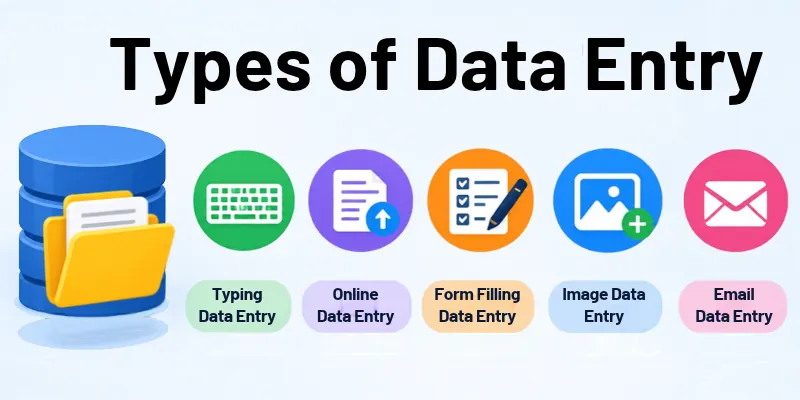
Here is a simple data entry list to get you started. Let us go through each one.
1. Manual Data Entry
Manual data entry means a person types information into a system by hand. It is the oldest method, and many teams still use it when records are unusual or messy. A human can spot odd details that software may miss. It works best for small batches that need careful judgment.
- Done by a real person
- Needs focus and care
- Works well for small amounts of data
- Easy to start with
- Slower than automation
Examples:
- Typing customer details into a database
- Updating a stock sheet
- Entering survey replies
2. Automated Data Entry
Automated data entry uses software to capture details and place them in the right fields. Tools read emails, files, and forms, then move the data without typing. Many teams now use AI features to handle messy layouts. A person still reviews the results to catch rare errors.
- Saves a lot of time
- Cuts down typing mistakes
- Handles large volumes
- Needs setup first
- Still needs human checks
Examples:
- Pulling invoice details with software
- Sending form replies to a spreadsheet
- Moving order data between apps
3. Online Data Entry
Online data entry means adding information through web-based tools and cloud apps. Teams in different cities can work on the same records at once. Changes show up instantly, so nobody works from an old version. This type has grown fast with the rise of remote work.
- Works through a browser
- Supports remote teams
- Updates data instantly
- Needs a stable internet connection
- Uses cloud tools
Examples:
- Updating a shared Google Sheet
- Filling in a web dashboard
- Uploading listings to a website
4. Offline Data Entry
Offline data entry happens on a device with no internet connection. Workers type into a local file or app, and the data syncs once the connection returns. It suits places with weak signals, such as farms, factories, and rural areas. Regular backups protect the work until it is uploaded.
- Works without internet
- Stores files on the device
- Fits remote locations
- Needs safe backups
- Syncs data later
Examples:
- Typing into an Excel file on a laptop
- Logging field survey results
- Recording warehouse stock counts
5. Numeric Data Entry
Numeric data entry focuses on figures, dates, and codes. A single wrong digit can change a total or send a payment to the wrong place. Workers often use the number pad to type faster. Many companies add validation rules that flag numbers outside the expected range.
- Centers on figures
- Needs strong accuracy
- Relies on number pad speed
- Common in finance and sales
- Needs double-checking
Examples:
- Entering sales figures
- Recording invoice amounts
- Typing ID or phone numbers
6. Text Data Entry
Text data entry means typing words, names, and descriptions into records. Spelling and consistent formatting matter because messy text makes searching hard. Many records mix text with numbers, so you will often see both together. Drop-down menus and templates help keep entries uniform.
- Uses letters and symbols
- Needs good spelling
- Keeps formatting consistent
- Works with long records
- Needs careful proofreading
Examples:
- Customer names and addresses
- Product descriptions
- Typed copies of handwritten notes
7. Form Data Entry
Form data entry means moving details from forms into a digital system. The forms may be paper sheets or online submissions. Each field has a fixed place, so the work follows a clear routine. Online forms often send data straight to a database, which leaves paper forms as the main manual task.
- Follows a fixed layout
- Needs attention to every field
- Common in offices and clinics
- Repeats the same steps
- Requires accuracy
Examples:
- Job application forms
- Registration forms
- Insurance claim forms
8. Image-to-Text Data Entry
This type turns scans, photos, and PDFs into editable data. Most teams run OCR (optical character recognition) software first. Newer AI tools can read handwriting and messy layouts better than older ones. A person then compares the output with the original and fixes unclear characters.
- Starts with scanned files
- Uses OCR tools
- Needs a careful review
- Fixes unclear characters
- Speeds up paper-heavy work
Examples:
- Scanned receipts
- Business card photos
- Tables inside PDF files
9. Spreadsheet Data Entry
Spreadsheet data entry means organizing information in rows and columns. Excel and Google Sheets let you sort, filter, and calculate in seconds. Shared sheets allow several people to update one file together. A clean layout with clear column headings keeps the data easy to use.
- Uses rows and columns
- Supports formulas
- Easy to share
- Good for tracking
- Needs a clean layout
Examples:
- Budget sheets
- Sales trackers
- Attendance records
10. Product Data Entry
Product data entry means adding item details to an online store or catalog. Shoppers rely on these details to compare items and decide what to buy. Marketplaces often have strict rules for titles, images, and attributes. Prices and stock change often, so updates never really stop.
- Common in online stores
- Covers titles and prices
- Includes sizes and colors
- Needs consistent formatting
- Updates often
Examples:
- Uploading items to Shopify
- Adding product specs
- Updating stock levels
11. CRM Data Entry
CRM data entry means recording customer and lead details in a customer relationship management tool. Sales and support teams use these records to plan every follow-up. Many CRMs now log emails and calls on their own, but people still add notes and context. Clean records stop two team members from contacting the same lead.
- Tracks customer details
- Supports sales teams
- Needs regular updates
- Avoids duplicate records
- Improves follow-ups
Examples:
- Adding new leads
- Updating deal stages
- Logging call notes
12. Accounting Data Entry
Accounting data entry means recording financial transactions in accounting software. Every entry goes under a set category, so reports stay correct. These records support tax filing and audits. Because the data is sensitive, workers must follow strict privacy rules.
- Handles money records
- Demands high accuracy
- Follows set categories
- Supports audits
- Needs confidentiality
Examples:
- Bills and receipts
- Payroll records
- Bank statement entries
13. Transcription Data Entry
Transcription means turning audio or video into written text. The worker listens, types, and follows a style guide for speaker names and timestamps. AI tools can now create a quick first draft. A human editor then fixes names, accents, and technical terms.
- Starts with audio or video
- Needs good listening
- Requires fast typing
- Follows style rules
- Needs careful proofreading
Examples:
- Meeting recordings
- Interview audio
- Video captions
14. Data Cleaning
Data cleaning means fixing errors in records that already exist. Databases get messy over time through duplicates, typos, and outdated details. Clean data makes reports and AI tools more reliable. Teams usually do it in regular rounds, not just once.
- Removes duplicate records
- Fixes spelling mistakes
- Updates old details
- Improves data quality
- Supports better decisions
Examples:
- Merging repeated contacts
- Correcting wrong email formats
- Updating outdated phone numbers
You have now seen the full range of options. The good news is that you do not need to learn them all at once. Let us look at how to pick the right one.
How to Choose the Right Data Entry Type
The best choice depends on your goals, your skills, and the tools you have. Compare these data entry types by how much speed, accuracy, and training each one needs. Then use these tips to narrow your options.
- Start with the type that feels easiest to learn.
- Match the work to your typing speed and comfort with numbers.
- Think about whether you prefer remote or office work.
- Check which tools you already know, such as Excel or Google Sheets.
- Choose areas with steady demand, like e-commerce and finance.
- Build skills in one type before adding another.
- Test small projects to see what you enjoy.
Once you have picked a direction, the next step is building the skills that make you reliable. Let us see what they are.
Skills You Need for Data Entry
No matter what type of data entry work you choose, a few core data entry skills will help you do a better job. Some keep your work accurate. Others help you finish on time. The more you practice, the stronger you will get.
- Typing Speed: Entering data quickly without losing accuracy.
- Accuracy: Getting every detail right the first time.
- Attention to Detail: Spotting small errors before they spread.
- Spreadsheet Skills: Using Excel or Google Sheets with confidence.
- Basic Computer Skills: Moving through files, folders, and software easily.
- Time Management: Meeting deadlines without rushing.
- Focus: Staying steady during repeat work.
- Data Privacy Awareness: Keeping private information safe.
- Communication: Asking clear questions and reporting problems.
- Willingness to Learn: Picking up new tools as they appear.
These skills of data entry are the base of strong work in every role. To see why they still matter, let us look at how the field has changed over time.
How Data Entry Has Changed Over Time
Data entry started long before computers. The goal has always been the same: record information so people can use it later. Even today’s kinds of data entry follow that same idea. Only the tools changed.
- Handwritten Ledgers: Clerks recorded business and tax details by hand.
- Typewriters: Typed records made documents faster and neater.
- Punch Cards: Machines read holes in cards to store and process data.
- Personal Computers: Spreadsheets and databases moved records onto screens.
- Internet and Cloud Era: Teams began sharing and editing data online.
- OCR and Automation: Software started reading documents and moving data on its own.
- AI-Assisted Era: Smart tools now extract, sort, and check data, while people review the results.
The tools keep improving, but careful human work is still valuable. Let us bring everything together in a quick wrap-up.
Conclusion
You have now walked through the main types of data entry, from manual and automated work to product, CRM, and accounting records. You have also seen how to choose the right one, the skills you need, and how the field has changed over time.
My advice is simple. Pick one type, practice it daily, and grow your skills step by step. Keep an eye on automation and AI, because they keep shaping this field. This approach builds a steady path, whether you want a job or you are running your own business.
You may still have a few questions, so let us answer the ones people ask most.
FAQs
Curious about the details? These are the ten questions people search for most about data entry, answered in a few short lines.
1. What are the types of data entry?
Data entry comes in several forms. These are the main ones:
- Manual and automated data entry
- Online and offline data entry
- Numeric and text data entry
- Form, image, and spreadsheet data entry
- Product, CRM, and accounting data entry
2. What are the main types of data entry methods?
Most methods fall into three groups:
- Manual: a person types the data by hand.
- Automated: software captures and enters the data.
- Hybrid: software does the first pass, and a person reviews it.
3. Will AI replace data entry jobs?
AI will change the work, but it will not remove the need for people entirely. Simple, repetitive typing is the most likely to be automated. People are still needed to check and fix errors. Roles are shifting toward data review and quality control. Learning automation tools helps you stay ahead.
4. What are the best types of data entry for your business?
The right fit depends on your daily workload:
- Small shops: manual and spreadsheet entry
- Online stores: product data entry
- Sales teams: CRM data entry
- Finance teams: accounting data entry
- High volumes: automated data entry
5. What are the most common data entry tasks?
Most roles include a mix of these jobs:
- Typing information into systems
- Updating existing records
- Copying details from documents
- Checking data for errors
- Cleaning and organizing lists
6. What is the difference between manual and automated data entry?
The main difference is who does the typing. Manual entry relies on a person, so it gives you more control. Automated entry relies on software, so it’s faster. Manual work is slower and can bring more typing mistakes. Automated work still needs a human review to stay accurate.
7. What skills do you need for data entry?
A few basic skills go a long way:
- Fast and accurate typing
- Strong attention to detail
- Basic Excel or Google Sheets knowledge
- Good time management
- Care with private data
8. Is data entry a good career for beginners?
It can be a good starting point, with some limits to keep in mind. Entry barriers are low, so you can begin quickly. You also learn useful office and software skills along the way. Pay often starts modest. Adding skills like spreadsheets or data cleaning helps you grow.
9. Can you do data entry from home?
Yes, many data entry jobs are remote. You need a reliable computer and a steady internet connection. Freelance sites and company career pages list remote roles. Start with small projects to build trust. Never pay a fee to get hired, because that is a common scam sign.
10. What are the categories of data entry?
You can sort data entry in a few simple ways:
- By method: manual or automated
- By data: numbers, text, images, or audio
- By industry: retail, finance, healthcare, or sales






- Be Respectful
- Stay Relevant
- Stay Positive
- True Feedback
- Encourage Discussion
- Avoid Spamming
- No Fake News
- Don't Copy-Paste
- No Personal Attacks
- Be Respectful
- Stay Relevant
- Stay Positive
- True Feedback
- Encourage Discussion
- Avoid Spamming
- No Fake News
- Don't Copy-Paste
- No Personal Attacks
