What is Data Entry? Meaning, Types & Simple Guide for 2026
Published: 2 Sep 2026
Have you ever come across a job posting that asks for a “data entry operator” and wondered what the day-to-day work actually looks like? Many beginners see this term while browsing online jobs, but they aren’t sure what tasks it really includes or whether it needs special training.
If you are searching for what is data entry, you will find a clear answer here. This guide walks you through its meaning, purpose, types, and how you can learn and earn from it, step by step.
Definition of Data Entry
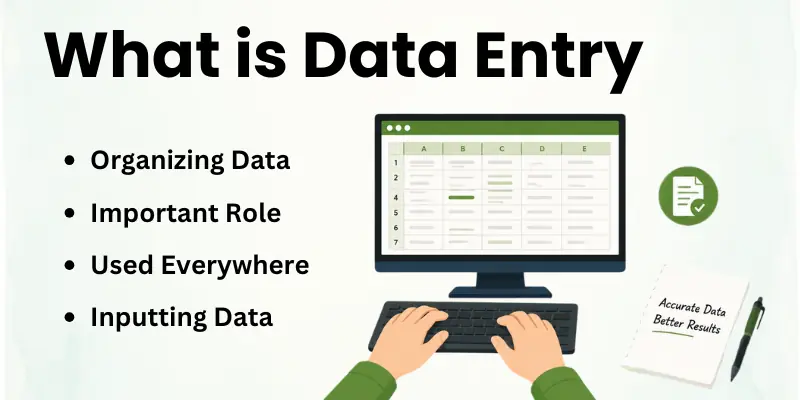
Data entry meaning comes down to one core task: moving information from its source into a digital format where it can be stored, searched, and used later. The source could be a handwritten form, a scanned receipt, a phone call log, or raw numbers from a spreadsheet.
When data entry explained simply, it’s the bridge between messy, scattered information and a clean, organized system. Someone has to sit with that raw information and turn it into rows, columns, or database fields that actually make sense to the people using them later.
That gives you the basic data entry explanation, so let’s look at why this bridge actually matters to a business.
What is the Purpose of Data Entry?
At its core, the purpose of data entry is narrow and practical: take information from one format and place it correctly into another, so a system can read and use it. It’s a task-level goal, not a business strategy.
- Move details from a paper form, PDF, or scanned image into a digital field.
- Match each entry to the right category, column, or record.
- Correct obvious errors, like a misspelled name or a misplaced decimal point.
- Confirm that a batch of entries follows the same format before submission.
- Flag anything unclear or incomplete instead of guessing at it.
That’s what the work looks like on a day-to-day level. Now let’s zoom out and look at why this small, repetitive task actually matters to a business as a whole.
Importance of Data Entry
Where the purpose is about the task itself, the importance is about what happens once that task is done well across an entire company. Clean, well-entered data quietly supports almost every decision a business makes, even when nobody in the room is thinking about spreadsheets.
- Prevents duplicate customer or order records from piling up.
- Speeds up order processing and invoice turnaround.
- Reduces costly mistakes in shipping addresses, pricing, or billing.
- Gives management accurate numbers to base decisions on.
- Keeps compliance and audit records ready for review at any time.
- Feeds analytics tools with clean data instead of messy inputs.
- Cuts down the time staff waste searching for missing information.
Once you see the difference between the task and its impact, the next question is who actually sits down and does this work every day.
Who is a Data Entry Specialist?
A data entry specialist is the person responsible for keying, checking, and formatting information so it lands correctly inside a company’s systems. Their day might involve pulling details from scanned documents, updating a customer database, or reconciling numbers across two spreadsheets that don’t quite match.
This role often sits quietly behind the scenes in industries like logistics, real estate, healthcare, and e-commerce. Nobody notices the work when it’s done right, but everyone notices when a shipping address or a billing amount is wrong.
Now that you know who handles this task, let’s break down the different forms this work can take.
Types of Data Entry
Data entry isn’t one single task repeated the same way everywhere. It shifts shape depending on the industry, the source material, and the system it feeds into.
- Online Data Entry: Entering information directly into web forms, portals, or cloud-based systems.
- Offline Data Entry: Working without an internet connection, usually on local spreadsheets or desktop software.
- Numeric Data Entry: Keying in figures like invoice totals, inventory counts, or financial statements.
- Text-Based Data Entry: Typing written details such as names, addresses, or product descriptions.
- Survey Data Entry: Organizing raw responses collected from feedback forms or research studies.
- Invoice and Billing Data Entry: Recording payment amounts, due dates, and vendor details.
- Product Catalog Data Entry: Adding item specs, prices, and images for online stores.
- Medical Records Data Entry: Handling patient history and treatment details with extra care for privacy.
With these types in mind, let’s move on to how a complete beginner can actually start learning this skill.
How to Learn Data Entry as a Beginner
Here’s a practical path if you’re starting from zero and want to build real, usable skills.
- Test your typing speed: Aim to track your words-per-minute and error rate, then work on improving both.
- Get hands-on with spreadsheets: Practice sorting, filtering, and formatting data in Excel or Google Sheets.
- Work with mock datasets: Download sample files online and practice entering or cleaning them.
- Learn keyboard shortcuts: Small shortcuts save real time once you’re handling large volumes of entries.
- Spot formatting inconsistencies: Train your eye to catch mismatched dates, extra spaces, or duplicate rows.
- Try a basic database tool: Get familiar with how fields, tables, and forms work in simple database software.
- Time yourself on small tasks: Practice completing short entry tasks within a set time to build speed.
- Keep a sample sheet ready: Save a few clean, well-formatted examples to show when applying for work.
Once these basics feel comfortable, the next step is turning this skill into actual income through what is data entry work in the freelance and job market.
How to Earn from Data Entry
Turning this skill into income usually comes down to picking a lane and building experience inside it, rather than applying everywhere at once.
- Pick a niche first: Decide whether you want to focus on invoices, product listings, surveys, or general admin data.
- Build typing speed and accuracy: Both directly affect how many tasks you can complete and how much you’re paid.
- Apply through BPO or outsourcing firms: Many companies hire in bulk for data processing contracts.
- Check remote job boards: Search specifically for “remote data entry” or “virtual data entry clerk” listings.
- Take small paid test tasks first: Short trial projects help you gain reviews before bidding on bigger contracts.
- Track your accuracy rate: Clients often ask for error rates below a certain percentage, so keep tabs on your own numbers.
- Negotiate per-project vs. hourly rates: Some tasks pay better per project once you’re fast enough.
- Ask for repeat work: A satisfied client is usually more valuable than chasing one-off gigs constantly.
Before deciding if this path is right for you long-term, it helps to weigh what works well against what can get frustrating.
Pros and Cons of Data Entry
Like most remote-friendly skills, data entry has real upsides along with a few honest downsides.
Advantages of Data Entry:
- Low barrier to entry, since it doesn’t need a degree or certification.
- Skills transfer easily into admin, virtual assistant, or bookkeeping roles.
- Works well around other commitments like study or a part-time job.
- Builds strong attention to detail that helps in many other fields.
- Available across almost every industry, from healthcare to retail.
- Can be done fully remotely with just a laptop and stable internet.
Disadvantages of Data Entry:
- Long hours of screen time can cause eye strain and fatigue.
- The work can feel monotonous during large, repetitive projects.
- A single unnoticed error can affect records further down the line.
- Entry-level pay is often lower until speed and accuracy improve.
- Freelance platforms can be crowded with competing bids.
- Deadlines during bulk data migration projects can get intense.
Weighing both sides gives you a realistic picture, so let’s look at where this field is actually heading next.
Future of Data Entry
Software is getting better at reading forms and scanning documents automatically, but that hasn’t erased the need for people in this field. It’s shifted what the work looks like instead.
- Growing demand for people who can clean and verify AI-scanned data.
- Rising need for accurate catalog data as online stores keep expanding.
- More outsourced projects tied to large-scale data migration work.
- Increased focus on data privacy and security during entry tasks.
- Continued need for human review alongside automated capture tools.
- Steady demand in healthcare and finance, where accuracy carries real weight.
This shows that even as tools evolve, careful human input still holds a place in this field. Let’s pull everything together in the final part.
Conclusion
By now, you have a clear answer to what is data entry, along with its meaning, purpose, types, and how people learn and earn from it. We also looked honestly at its upsides, its challenges, and where the field seems to be heading.
If you are weighing whether to start, this is a skill that asks for patience and consistency more than any formal qualification. Build your speed, protect your accuracy, and the opportunities tend to follow from there.
Still, a few common questions usually come up once you start looking into this field seriously.
FAQs
Here are quick answers to the questions people ask most about data entry.
Data entry professionals key, verify, and organize information into digital systems like spreadsheets or databases. Their daily tasks might include updating customer records, entering invoice details, or fixing formatting errors in existing files.
Accuracy matters more than speed in most roles, though both count. Many also work with software specific to their industry, like healthcare or logistics platforms.
Some parts can be, especially through tools like optical character recognition (OCR) that scan and extract text from documents. However, automated tools still make mistakes with messy handwriting or unusual formats.
Human reviewers usually step in to catch and correct these errors. Fully manual tasks remain common wherever judgment or context is needed.
Yes, and many businesses do exactly this to handle large volumes without hiring full-time staff. Outsourcing firms and freelancers take on bulk projects like catalogue updates, survey processing, or invoice entry.
This lets companies scale up during busy periods without long-term commitments. It also opens flexible earning opportunities for freelancers worldwide.
Efficiency usually comes from a mix of practiced typing skills, keyboard shortcuts, and well-organized templates. Batching similar tasks together, instead of switching between different formats, also saves time.
Regular short breaks help maintain focus during long entry sessions. Pairing manual work with basic automation tools can speed things up further.
It’s often a solid starting point since it doesn’t demand prior experience or a specific degree. Beginners pick up typing speed, spreadsheet skills, and attention to detail quickly through practice.
Many use it as a stepping stone toward admin, virtual assistant, or bookkeeping roles later on. It also offers flexible part-time and remote options for people balancing other work.
Fast, accurate typing sits at the top of the list, alongside strong attention to detail. Comfort with spreadsheet software and basic database tools also helps a lot.
Good time management matters when juggling multiple entry tasks with deadlines. Patience is useful too, since some projects involve repetitive, detail-heavy work.
Yes, this is one of the more common remote job categories available online. All it typically requires is a computer, reliable internet, and the right software for the task.
Companies and freelance clients regularly hire remote workers for catalog updates, survey processing, and record management. This makes it accessible for people who want flexible, location-independent work.
Spreadsheet programs like Excel and Google Sheets cover a large share of everyday tasks. Specialized industries often rely on CRM, ERP, or inventory management systems built for their specific needs.
OCR software helps convert scanned paper documents into editable text for faster entry. The right tool usually depends on the type and volume of data being handled.




I want to earn online I have computer and my typing speed is also good