What is Graphic Designing Software? Learn and Start to Grow
Published: 7 Apr 2026
You see beautiful posts, logos, and thumbnails online every day, but have you ever asked yourself how people actually create them? Do designers draw everything by hand, or do they use some tool? This is where most beginners feel confused. If you are also thinking, “Wq}nVHWGHBr&C
I had the same question when I started, and the answer is much simpler than it sounds. These tools help you design things step by step without any complex skills. You can start with ready templates and edit them in minutes. Once you understand the basics, you can create your own designs with ease.
Definition of Graphic Design Software
Graphic designing software is a tool that helps you create and edit visual content on a computer or mobile device. You can use it to make logos, social media posts, thumbnails, posters, and more.
Instead of drawing everything by hand, the software provides ready-made tools such as text, shapes, colours, and images to build your design step by step. When I started, I did not know any advanced skills, but the software guided me with simple options and templates.
Importance of Graphic Designing Software
Graphic designing software plays a big role in how we create and share ideas today. It helps turn simple thoughts into clear visuals that people understand quickly. From social media posts to business logos, these tools make your work look clean and professional. Without them, design would take more time and effort.
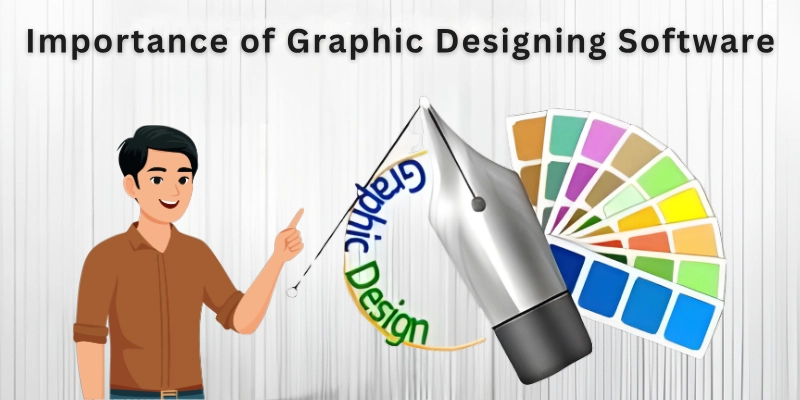
From my experience, using the right design software saves a lot of time and reduces mistakes. You can test different styles, colours, and layouts in minutes. This makes your work faster and more flexible. If you want to grow online or work with clients, these tools are not optional anymore; they are a basic need.
Now that you understand why graphic designing software matters, let’s see how it actually works and what you can do with it.
Function of Graphic Design Software
Graphic design software gives you the tools to turn your ideas into real designs. It helps you control how your design looks, from text and colours to images and layout. Most tools today keep things simple, so you can work faster even if you are just starting.
Here are the main functions you will use:
- Canvas: The space where you create and arrange your design.
- Text Tool: Adds and edits words with different fonts and styles.
- Shapes Tool: Creates basic shapes like circles, lines, and boxes.
- Image Editing: Lets you crop, resize, and adjust pictures.
- Colour Control: Helps you choose and apply colours to your design.
- Layers: Organizes elements so you can edit them separately.
- Templates: Give you ready-made designs that you can edit quickly.
- Effects and Filters: Adds shadows, blur, and other visual touches.
- Alignment Tools: Keeps your design neat and properly spaced.
- Export Option: Saves your design in formats like PNG, JPG, or PDF.
Now you know what these tools can do; let’s look at the different types of graphic designing you can create with them.
Types of Graphic Design Software
Graphic design tools come in different types based on what you want to create. Some tools focus on images, while others help with logos or page design. When you know these types, you can pick the right tool for your work and learn faster.
Here are the main types you should know:
- Raster Design Software:
If you want to work with photos or detailed images, this is your go-to. It lets you fix colours, remove mistakes, and make visuals like thumbnails or social media posts look professional. I often start here when editing images for my projects.
- Vector Design Software:
Perfect for logos and icons that need to stay sharp, no matter the size. I use it when I want my designs to look clean and professional on both small screens and big banners.
- Layout Design Software:
When you have text and images together, these tools help arrange them neatly. Magazines, brochures, or reports become easy to read and visually appealing. I always use this type for any multi-page project.
- Online Design Tools:
These work in your browser and are great if you want fast results. Templates and drag-and-drop features let beginners create designs without confusion. I recommend this when someone wants to start designing quickly.
- 3D Design Software:
This is for creating designs that look real and have depth. It’s exciting for product visuals, animations, or game graphics. I remember the first time I tried it—I could literally see my ideas come to life.
With the types clear, it’s time to find the platforms that let you design like a pro without stress.
Best Graphic Designing Platforms
There are many platforms you can use to create professional designs. Some are simple for beginners, while others give advanced tools for experts. Choosing the right platform can save time and help you make better designs. Here are some of the best platforms to get started today:
- Adobe Photoshop: Powerful photo and image editing software for creating detailed designs.
- Adobe Illustrator: Perfect for logos, icons, and vector graphics that stay sharp at any size.
- Canva: Easy-to-use online platform with templates for social media, posters, and presentations.
- CorelDRAW: Great for vector design, logos, and print-ready projects.
- Figma: Focuses on web and app design with collaboration tools for teams.
- Affinity Designer: Affordable alternative for vector and raster design with professional features.
- GIMP: Free software for photo editing and graphic design with many tools like Photoshop.
- Crello (now VistaCreate): Online platform for quick and simple social media graphics and videos.
These graphic designing websites cover almost all types of design work, from images and logos to layouts and animations, so you can pick one that fits your goals and skills.
Now that you have learned the types, functions, and best platforms, it’s time to take action.
Conclusion
This guide tells us what is graphic designing software and gives us a clear path to start designing. These software program helps both beginners and professionals create visuals that look professional. With the right platform and a little practice, you can bring your ideas to life and even use them to earn online.
The more you practice, the easier it becomes to make designs that stand out. Soon, you can confidently create visuals for yourself or clients without feeling stuck and you will be ready to start. Now, let’s move on to the next set of frequently asked questions that you should know about this guide.
FAQs
If you want to master designing quickly and avoid confusion, these common questions will guide you through everything you need to know about graphic design tools.
Graphic editing software is a program that lets you modify or enhance images. You can crop, adjust colours, or remove unwanted parts of a photo. Beginners often use it to make visuals look professional for social media or websites.
Graphic design software is used for creating visuals like logos, banners, posters, and social media posts. It helps turn ideas into eye-catching designs quickly. Both businesses and beginners rely on it to improve their online presence.
Working on a computer gives you better control over tools than a mobile device. You can adjust layers, colours, and effects in detail. For serious projects, a computer makes working with graphic design software much easier.
Popular choices are Adobe Photoshop, Illustrator, and Canva. Each has unique features for different tasks, like photo editing or logo creation.
Yes, Photoshop is a graphic design software mainly used for image editing and creating visuals. You can work with layers, text, and colours easily. Many designers use it for social media graphics, thumbnails, and promotional content.
Common choices include Photoshop, Illustrator, Figma, and Canva. Beginners can also start with online platforms to create designs quickly.
Many people wonder how much graphic design software costs. Prices vary: Photoshop requires a monthly subscription, Canva has free and paid plans, and GIMP is completely free. You can start without spending much.
No, it’s mainly for video editing. You can add text and effects to videos, but it doesn’t offer tools for logos or detailed graphics. Use it only if your project involves video content.
Yes, logo and graphic design software allow you to create your branding, marketing visuals, and social media graphics. It saves money and gives you full control over your designs. Even beginners can produce professional results with the right platform.
There are many software programs in graphic design, but you don’t need to learn them all at once. Start with one or two tools based on your goals. Once confident, you can explore others to expand your skills.

- Be Respectful
- Stay Relevant
- Stay Positive
- True Feedback
- Encourage Discussion
- Avoid Spamming
- No Fake News
- Don't Copy-Paste
- No Personal Attacks
- Be Respectful
- Stay Relevant
- Stay Positive
- True Feedback
- Encourage Discussion
- Avoid Spamming
- No Fake News
- Don't Copy-Paste
- No Personal Attacks
