Free Graphic Designing Tools: Free Platforms that Save Money
Published: 17 Mar 2026
Most beginners want to start designing, but they stop because the tools look hard or expensive. I have seen this many times. The truth is, you can start with free graphic designing tools that are easy, simple, and enough to build your skills step by step.
Start simple, and you will improve faster than you think. You do not need any special setup or high-end device to begin. Just pick one tool, explore its basic features, and read this blog. With time, your confidence will grow, and your designs will look better.
Graphic Designing Tools Free
If you are just starting, you do not need paid software. In many graphic designing tools, free options are available that work online and offline. Here are the top 10 tools for graphic design that are strong, popular, and widely used.
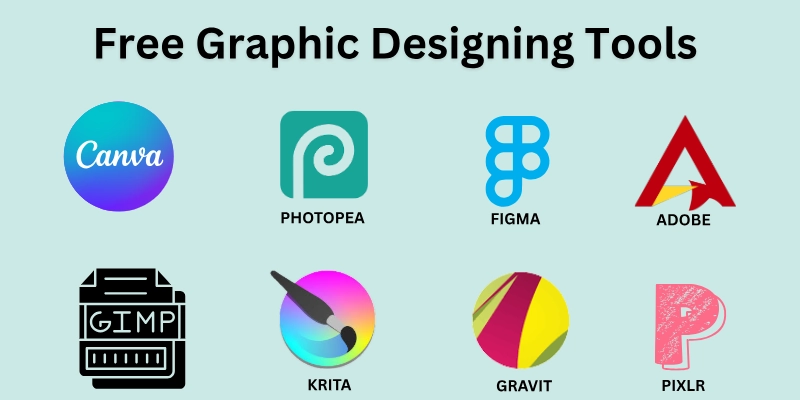
- Canva
- Adobe Express
- Figma
- Pixlr
- GIMP
- Inkscape
- Krita
- VistaCreate
- Photopea
- Gravit Designer
These tools can help you create social media posts, design logos and banners, and edit images easily, so let’s come to see the details.
1. Canva
A simple and popular tool for beginners. I used it for social media posts and quick designs.
You can start designing without any learning stress. It gives ready ideas, so you don’t feel stuck.
- An easy drag-and-drop design system.
- Ready-made templates for quick use.
- Works on mobile and desktop.
- Large library of fonts and images.
- Simple editing tools for beginners.
- Good for social media posts.
2. Adobe Express
This tool is fast and clean. Good for quick editing and branding work. It helps you create neat designs in less time. The layout is simple so that you can work without confusion.
- Clean and simple interface.
- Fast design creation.
- Built-in fonts and styles.
- Easy resizing for different platforms.
- Works online without setup.
- Good for quick branding work.
3. Figma
A strong tool for UI design and teamwork. It is useful when you want to design apps or websites. You can also share your work easily with others.
- Works directly in the browser.
- Real-time team collaboration.
- Clean and organized workspace.
- Useful for UI and UX design.
- Easy sharing with others.
- Good for web and app layouts.
4. Pixlr
A browser-based photo editor. It is good when you need quick image changes. You can edit photos without installing anything.
- No download required.
- Quick photo editing tools.
- Simple layout for easy use.
- Works in the browser.
- Good for basic image fixes.
- Useful for thumbnails.
5. GIMP
A powerful alternative to paid software. It is best when you need more control in editing. You can do detailed work without paying anything.
- Advanced editing features.
- Works offline on your device.
- Supports layers and effects.
- Good for detailed design work.
- Free and open source.
- Strong alternative to paid tools.
6. Inkscape
Best for vector and logo design. It helps you create clean and sharp designs. It is useful when working on logos or icons.
- Focus on vector design.
- Works with SVG files.
- Clean drawing tools.
- Good for logo creation.
- Supports detailed shapes.
- Free to use.
7. Krita
Krita is made for digital drawing and art. It is a good choice if you like sketching or painting. The tools feel smooth and natural.
- Smooth brush tools for drawing.
- Good for digital painting.
- Supports layers.
- Works offline.
- Clean workspace for artists.
- Useful for illustrations.
8. VistaCreate
Great for social media designs. It helps you make eye-catching posts quickly. You can also create simple animations.
- Ready-made social media templates.
- Simple editing tools.
- Supports animations.
- Fast design process.
- Clean interface.
- Good for beginners.
9. Photopea
Works like Photoshop in a browser. It helps when you need advanced edits online. You can open different file types easily.
- Works in a browser like Photoshop.
- Supports PSD files.
- No installation needed.
- Clean editing layout.
- Good for quick changes.
- Handles multiple file types.
10. Gravit Designer
A flexible design tool for vector work. It gives you more control over shapes and layouts. You can use it for both simple and detailed designs.
- Works online and offline.
- Good for vector design.
- Clean and simple layout.
- Easy export options.
- Useful for UI design.
- Flexible design controls.
You don’t need every tool on this list. Just pick one, start using it, and build your skills step by step. Now look at the AI tools for graphic design, which will be extremely useful for fast work.
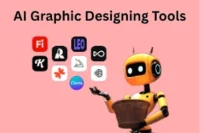
AI Graphic Designing Tools
AI tools are changing how people design. They help you create designs faster with less effort. If you are a beginner, these tools can save time and give you ideas quickly.
- Canva AI: Creates designs using text input.
- Adobe Firefly: Generates images and effects.
- Looka: Builds logos automatically.
- Designs AI: Creates full brand kits.
- Khroma: Suggests colour palettes.
- Uizard: Turns sketches into UI design.
- Remove bg: Removes image backgrounds.
- Runway ML: Edits images and videos with AI.
- AutoDraw: Turns rough sketches into clean drawings.
- Fontjoy: Generates font combinations.
These smart tools can help you start fast, but your skill will make you better. The right digital tool can turn your ideas into real designs faster than you ever imagined. Now we have reached the end of final thoughts: what does it say about free tools? Let’s see.
Conclusion
The use of free graphic designing tools gives you the freedom to practice and design without cost. They may have some limits, like watermarks or restricted downloads, but you can handle this by planning your projects carefully and using multiple tools if needed. My advice is to focus on tools that match your goals and skill level.
With this approach, you get results while keeping risks under control. Start small, experiment with different styles, and gradually take on bigger projects. Over time, you will gain confidence and create designs that look professional, even without paid software.
FAQs
Before you start designing, check out these key answers that will save you time and help you avoid mistakes.
Many beginners start with free graphic design platforms, like Canva or VistaCreate. These platforms let you design social media posts, logos, and banners without spending money. They are easy to use and work on both mobile and desktop.
Yes, tools like GIMP or Photopea are excellent free graphic designing software alternatives. They have many advanced features similar to Photoshop. Beginners can start practicing without paying for expensive subscriptions.
If you want simplicity, graphic designing software online, like Canva or Pixlr, is perfect. You do not need to download anything, and it works directly in your browser. Templates and drag-and-drop tools make it beginner-friendly.
You can find many graphic designing tools for free that help create posts, banners, and ads. Tools like Canva, VistaCreate, and Pixlr are popular options. They provide ready-made templates and stock images to make designing faster.
Yes, several graphic designing tools online work fully in your browser. Tools like Figma, Photopea, and Pixlr do not need any installation. This makes it easy for beginners or people using multiple devices.
Some of the top graphic design tools and software include Canva, Figma, and GIMP. They cover different purposes like logos, social media, and vector graphics. These tools are free, beginner-friendly, and widely used by professionals.
Yes, many graphic design tools online, like Canva, Pixlr, and VistaCreate, are mobile-friendly. You can design anywhere without worrying about device compatibility. They keep your work updated across devices for convenience.
Yes, tools like WordPress, Wix, and Canva’s website builder are examples of free web designing software. They allow you to create websites without coding knowledge. You can start small and upgrade features later if needed.
To download safely, always use official websites like GIMP.org or Photopea.com. Avoid third-party sites that may include malware. Follow the instructions on the official page to install safely on your computer.
Yes, Figma is a graphic designing tool popular for UI/UX and collaboration. It works online and offline, which helps teams design together in real time.

- Be Respectful
- Stay Relevant
- Stay Positive
- True Feedback
- Encourage Discussion
- Avoid Spamming
- No Fake News
- Don't Copy-Paste
- No Personal Attacks
- Be Respectful
- Stay Relevant
- Stay Positive
- True Feedback
- Encourage Discussion
- Avoid Spamming
- No Fake News
- Don't Copy-Paste
- No Personal Attacks
