AI Graphic Designing Tools That Boost Your Design Skills
Published: 29 Mar 2026
Creating designs from scratch takes time, skills, and sometimes money. I struggled with this when I started, and I wasted hours trying to make simple posts. Then I discovered AI graphic designing tools, and everything became easier. These tools help you design faster, even if you have no experience, and they save both time and effort.
I now create social media posts, thumbnails, and basic logos in minutes. You just need a simple idea, and the tool handles the rest. This is why beginners now rely on AI graphic designing tools to start quickly and grow faster. Now, let’s look at the best AI graphic designing tools that can actually help you start and grow.
Best Design AI Tools
AI graphic designing tools are simple platforms that help you create designs with less effort. You do not need advanced skills or expensive software.
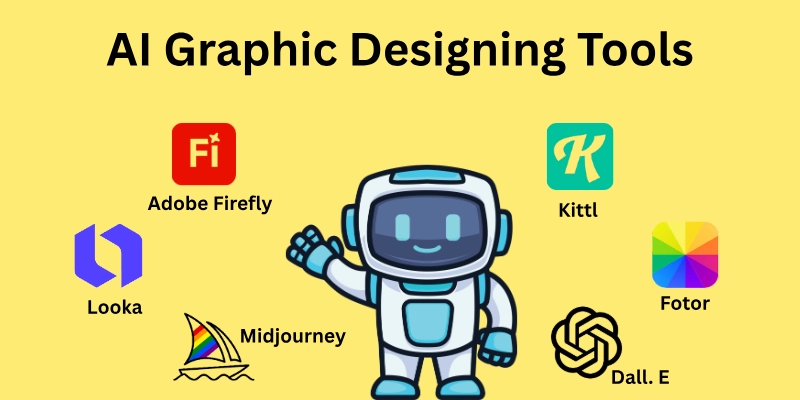
- Canva
- Adobe Firefly
- Kittl
- Looka
- Midjourney
- DALL·E
- Remove.bg
- Designs.ai
- VistaCreate
- Fotor
These tools can turn your ideas into ready-made designs in just a few minutes, but first, let’s take a closer look at what they are and how they help.
1. Canva
I use this tool when I need quick and clean designs without effort. It works well for beginners and daily content.
- You can create posts, thumbnails, and presentations easily.
- It gives ready templates for almost every category.
- Magic Design helps you generate designs from a simple idea.
- You can resize designs for different platforms in one click.
- The background remover works fast and is clean.
- It runs fully online, so no download is needed.
- Many features are free, but Pro gives more options.
2. Adobe Firefly
This tool works best when you want more control and better quality results. I use it for detailed design work.
- You can create images from text ideas.
- It gives high-quality and realistic results.
- Works inside Adobe tools like Photoshop.
- You can edit parts of images easily.
- It supports commercial-safe content.
- Good for branding and professional work.
- It needs a paid plan for full features.
3. Kittl
I use this tool when I want clean and stylish text designs without much effort. It gives a strong look to simple ideas and works well for people who want to sell designs.
- It’s best for t-shirts and print designs.
- You can create stylish text with one click.
- It offers ready-made design styles.
- Easy drag-and-drop editor.
- Good for logo and typography work.
- Fast export for selling designs.
- Works well for beginners.
4. Looka
I pick this tool when I need a quick logo idea without wasting time. It gives ready options based on your input. It helps start a new brand.
- You can create logos in a few minutes.
- It builds full brand kits automatically.
- You only enter your business name.
- It gives many logo styles to choose from.
- Good for small business owners.
- Saves time on first drafts.
- Paid download required for final files.
5. Midjourney
I use this tool when I need something different and eye-catching. It creates images that look more creative than normal designs. It is useful when you want unique content.
- It creates high-quality artistic images.
- You just write a simple prompt.
- Known for strong image quality and detail.
- Works through Discord.
- Good for posters and concept art.
- You can generate multiple variations.
- Paid plans start at a low cost.
6. DALL·E
I use this when I want simple and clear images without confusion. It gives results quickly and is easy to handle. It works well for daily content needs.
- It creates images from simple text input.
- Easy to use for beginners.
- You can edit images by changing parts.
- Works well for ads and social content.
- Gives creative and unique results.
- No complex setup needed.
- Works directly in chat-based tools.
7. Remove.bg
I use this tool when I need clean images without a background. It saves time and removes extra work, which is very helpful for product and profile images.
- Removes background in one click.
- Works very fast.
- Good for product images.
- No design skills needed.
- Clean edges in most cases.
- Works online without installation.
- Free version available.
8. Designs.ai
I choose this tool when I want different design options in one place. It helps manage multiple tasks easily. It is useful for quick project work.
- You can create logos, videos, and graphics.
- All-in-one platform for design work.
- Simple interface for beginners.
- Generates content quickly.
- Useful for marketing tasks.
- Saves time on multiple tools.
- Paid plans unlock full features.
9. VistaCreate
I use this for simple and quick social media content. It helps keep designs neat and consistent and good for regular posting work.
- Offers many ready templates.
- Good for animated designs.
- Easy editing options.
- Works online.
- Suitable for beginners.
- Helps create consistent content.
- Free plan available.
10. Fotor
I use this when I need fast photo edits without extra steps. It keeps things simple and clear, that is useful for basic design needs.
- Helps edit photos easily.
- You can enhance images quickly.
- Offers design templates.
- Good for basic graphic work.
- Works online.
- Simple interface.
- Free and paid versions available.
But before you choose any tool, understand what features actually make your design work faster and better.
Key Features of AI Graphic Designing Tools
These tools are not just about making designs. They come with features that reduce your effort and speed up your work. I have used many of them, and the right features always make a big difference in results. If you understand these features, you can pick the right tool and get better output without wasting time.
- Text-to-Image: Creates images from a simple written idea.
- Ready Templates: Gives pre-made designs you can edit quickly.
- Drag-and-Drop Editor: Lets you move elements easily without skills.
- Background Remover: Removes image background in one click.
- Auto Resize: Changes design size for different platforms instantly.
- Font and Style Suggestions: Suggests matching text styles automatically.
- Image Editing Tools: Helps adjust colours, brightness, and effects.
- Brand Kit: Saves your logo, colours, and fonts in one place.
- One-Click Export: Downloads designs quickly in different formats.
- Collaboration Option: Allows team members to edit the same design.
- Content Library: Provides icons, images, and graphics inside the tool.
- Animation Feature: Adds simple motion to designs.
- Prompt-Based Design: Creates designs based on your written input.
- Cloud Storage: Saves your work online for easy access anytime.
Now let’s see which tools give you free access and which ones require payment so you can choose the best fit for your needs.
Free vs Paid AI Graphic Design Tools
Not all design tools cost money. Some offer free features that are enough for beginners, while paid plans give extra options for professionals and serious projects.
The difference between them helps you save money and get the right results. I have tested both, and each has its own advantages depending on what you want to do.
Free AI Design Tools
- Canva Free: Offers basic templates and editing tools for social posts.
- Fotor Free: Allows you to edit images and use simple templates.
- Remove.bg Free: Removes background with limited free credits.
- VistaCreate: Gives access to templates and simple designs.
- Designs.ai Free with Trial: Lets you test basic features before paying.
Paid Tools
- Canva Pro: Unlocks premium templates, stock images, and extra features.
- Adobe Firefly: Full creative tools with high-quality image output.
- Kittl Paid: Access advanced print and typography features.
- Looka Paid: Download high-resolution logos and brand kits.
- Midjourney Paid: Generate unlimited creative images and variations.
- DALL·E Paid Credits: Create high-resolution images and edit freely.
- Designs.ai Paid: Unlock all tools for videos, logos, and graphics.
Now you know which tools fit your budget and workflow, so you can start creating designs with confidence today.
Conclusion
As we have seen, AI graphic designing tools make creating visuals fast and simple, but they are not perfect. Some features may be limited or may not fit every project. According to my experience, the advice is to use them as a helper, add your personal touch, and test results before finalizing. Balancing their limits keeps your work professional and effective.
I think that it was great sharing these insights with you. I wish you the best with your designs! Check the FAQ section below to answer all your questions and learn how to get the most from AI graphic designing tools.
FAQs
Got questions about AI graphic designing tools? Here are the answers you need to start creating confidently.
The best graphic designing tools AI beginners can use include Canva Free, Fotor, and VistaCreate. These tools give templates, editing options, and simple design features for free. They are ideal for social posts, logos, and basic graphics without paying.
Some of the top graphic design AI apps are Adobe Firefly, Midjourney, and Looka. They help you create logos, social media posts, and creative visuals quickly. You can test them for free, but premium plans unlock more options and higher quality.
An AI creative suite is a platform that combines multiple tools like image generation, logo design, and editing in one place. You can create videos, graphics, and logos without switching apps. This saves time and makes your workflow more organized.
An AI model creator lets you generate unique images and designs using text or templates. Tools like DALL·E or Midjourney let you experiment with styles and visuals. It’s a great way to explore creative ideas without advanced skills.
Yes, AI branding tools like Looka or Canva Pro can create logos, colour schemes, and brand kits quickly. They make branding easier for beginners and small business owners. You just enter your business name, and the tool gives ready-to-use options.
A beginner-friendly AI graphics creator is Canva or Fotor. They provide simple drag-and-drop editors, templates, and icons. Even with no design experience, you can create social posts, banners, and thumbnails easily.
Simply, start with templates and simple prompts in Canva or Midjourney. Practice editing, resizing, and adding text to your visuals. Step by step, you will create professional-looking designs quickly and easily.
- Be Respectful
- Stay Relevant
- Stay Positive
- True Feedback
- Encourage Discussion
- Avoid Spamming
- No Fake News
- Don't Copy-Paste
- No Personal Attacks
- Be Respectful
- Stay Relevant
- Stay Positive
- True Feedback
- Encourage Discussion
- Avoid Spamming
- No Fake News
- Don't Copy-Paste
- No Personal Attacks
