How to Learn Graphic Designing? Complete Guide of Learning
Published: 19 Feb 2026
Starting something new can be confusing, and graphic designing is no different. You might have amazing ideas but no clue how to bring them to life. You do not need fancy tools or years of experience to get started.
Even small, simple projects can help you learn fast and see real progress. If you ever felt confused, this guide is for you. This will take that stress away and teach you how to learn graphic designing in a simple, step-by-step way so you can begin creating with confidence.
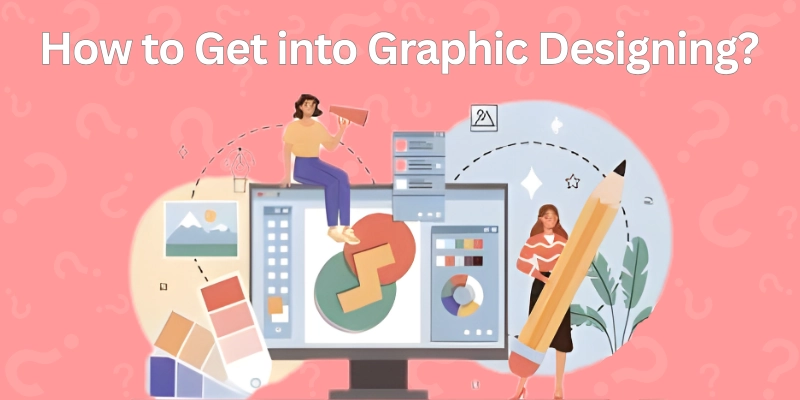
How to Get into Graphic Designing?
Before diving into graphic designing, it helps to have a few basics ready. You do not need everything at once, but having these tools, materials, and knowledge will make learning faster and less frustrating. Here is what beginners should have before starting:
- A Computer or a laptop
A reliable device lets you run design software smoothly. Even a mid-range laptop is enough to practice and create simple projects. - Basic Computer Skills
Knowing how to navigate files and folders and install software will save you time and stress. It makes learning design tools much easier. - Notebook or Digital Sketchbook
Putting down ideas, sketches, or concepts helps plan designs before making them on the computer. It encourages creativity and keeps your thoughts organized. - Basic Design Principles
Understanding concepts like colour, typography, and layout makes your designs look intentional and professional. Even small graphic designing practice sessions can strengthen the skills quickly. - Inspiration Sources
Follow design websites, Pinterest boards, or Behance portfolios. Seeing what others create sparks ideas and helps you understand trends.
Now that you have the right basic tools and mindset, it’s time to roll up your sleeves and start creating your very first designs. Let’s make learning graphic designing simple and step-by-step!
How to Start Graphic Designing?
Learning graphic designing can feel tricky at first, but with the right approach, anyone can start creating amazing designs. We will walk through graphic designing step by step, clearly, so you know exactly what to do, even if you have never designed before.
- Graphic Designing Knowledge
- Basic Principles
- First Design Tool
- Small Projects
- Tutorials and Courses
- Build a Habit
- Feedback and Improvement
- Portfolio
- Advanced Tools and Techniques
- Inspired and Practicing
Let’s start.
1: Graphic Designing Knowledge
Before opening any software, get a clear idea of what graphic designing involves. Graphic design is all about turning ideas into visuals that communicate a message.
Look at logos, posters, social media posts, and websites. Notice how colours, fonts, and layouts make information easy to understand and visually appealing.
- Knowledge of basic graphics.
- Notice the colour and font choices.
- Observe layouts and spacing.
2: Basic Principles
Practice these principles by analyzing designs you like and trying to recreate simple versions. Start with the core rules that make designs look good:
- Colour: Learn how colours work together and create moods.
- Typography: Choose fonts that are easy to read and match the message.
- Layout and Alignment: Place elements in a way that guides the viewer’s eye naturally.
- Contrast and Hierarchy: Highlight important elements so the design communicates clearly.
3: First Design Tool
Open the tool and explore the interface. Learn how to add text, shapes, and images. Spend a few days experimenting to get comfortable. Pick a beginner-friendly tool to start creating. Options include:
- Canva: Drag-and-drop, that is very easy for beginners.
- Figma: Great for layouts and UI design.
- Gravit Designer: Free vector design tool.
4: Small Projects
Keep the projects short and focused. Do not worry about perfection. Practice is about learning, not flawless results. Begin with simple projects that let you practice what you have learned. Examples:
- Create a social media post.
- Design a small poster or flyer.
- Make a simple logo for practice.
5: Tutorials and Courses
Watch step-by-step video tutorials or take beginner courses online. Follow along and recreate the designs exactly. This helps you understand how professionals structure their work and use tools effectively.
- Follow video tutorials closely.
- Recreate designs exactly.
- Learn professional techniques.
6: Build a Habit
Spend at least 30–60 minutes every day designing something. Daily design practice strengthens your skills fast. Try different types of projects to challenge yourself and keep learning new techniques.
- Spend 30–60 minutes daily.
- Try different project types.
- Focus on improving gradually.
7: Feedback and Improvement
Share your designs with friends, online groups, or mentors. Ask what works and what can improve. Use the feedback to fix mistakes and refine your skills. Learning from feedback is one of the fastest ways to grow.
- Share your designs with friends or groups.
- Ask what works and what needs fixing.
- Apply suggestions to improve.
8: Portfolio
Once you have a few good designs, organize them in a portfolio. You can use free platforms like Behance or a personal website. A portfolio shows your progress and helps if you want freelance work or a job in design.
- Save your best designs.
- Free plateforms like behance or a personal website.
- Show variety and growth.
9: Advanced Tools and Techniques
As you get confident, try more advanced software like Adobe Photoshop or Illustrator. Learn new design styles, animation, or UI/UX design. Keep challenging yourself with bigger projects and real-world work.
- Try Photoshop or Illustrator.
- Learn animation or UI/UX design.
- Challenge yourself with bigger projects.
10: Inspired and Practicing
Follow other designers on Pinterest, Behance, or Instagram. Save ideas that excite you and try recreating them. Inspiration keeps you motivated, and regular practice makes your designs better every day.
- Follow designers on Pinterest or Behance.
- Save ideas and recreate them.
- Practice regularly to get better.
We have learned the steps; now you can take your designs even further with easy tips that make every project better.
Tips and Practices for Beginner
Here are some simple tips for graphic designing to help you learn and create better designs faster. Follow these, and avoid common mistakes:
- Do not overload your design with too many colours or fonts.
- Too many fonts make designs messy.
- Pick a colour combination and stick with it.
- Check spacing and edges for a clean look.
- Keyboard shortcuts save a lot of time in software.
- Avoid losing designs by saving frequently.
- Grids and guides help keep layouts balanced.
- Get inspiration, but make your own version.
- Make sure text is easy to read on all screens.
- Small daily practice is better than long.
- Ask others what works and what can improve.
- Keep layers, folders, and assets labeled and tidy.
- Experiment with fonts, colours, and layouts to learn faster.
- Take time to review your design before finishing.
- Follow designers, save ideas, and keep learning.
With these tips in hand, the next step is finding where to learn graphic designing so you can practice and grow your skills quickly. For this, let’s see the next part.
Best Resources to Start Learning
Here are updated and trending places where beginners can learn graphic designing in clear, practical ways. These help you study both basics and real‑world skills:
- Canva Design School: Offers free, short tutorials that teach core design ideas and practical projects you can try right away.
- LinkedIn Learning: Includes short beginner‑friendly courses like graphic designing basics with guided videos and certificates.
- Udemy Courses: Provides many flexible, affordable courses on Photoshop, Illustrator, Canva, and design essentials. Learn at your own pace with lifetime access.
- YouTube Design Channels: Channels like the Futur, Spoon Graphics, and GFXMentor give free step‑by‑step tutorials on tools and design projects.
- Envato Tuts+ Tutorials: A huge archive of tutorials on tools like Photoshop and Illustrator with practical guides you can follow.
- Behance: See real designer portfolios and follow free creative courses or live streams from the Adobe creative community.
- Design Blogs: Read practical articles and tips about real‑world design, trends, and creative careers.
These resources mix free and paid learning, offer hands‑on practice, and help you build real skills step by step. Everything has been studied, so let’s move on to the conclusion.
Conclusion
Now you know how to learn graphic designing in the right way. You explored tools, design basics, and small projects that help you build real skills. You also learned why consistency, visual balance, and good taste matter in design today.
Keep practicing. Study good designs. Try new styles. Follow top designers, explore colour and typography trends, and improve your visual judgment. The next step is simple: create more designs. The more you design, the more confident and professional you become.
FAQs
Here are some important FAQs that can help you understand how to become a graphic designer
No, drawing is not a must. Many designers work well with shapes, text, and photos. You just need an eye for balance, layout, and clean visuals. Drawing can help, but tools do most of the heavy lifting. Practice grows your creative sense fast.
Start with Canva to learn composition and layout. Move to Photoshop or Illustrator when you feel ready to upgrade. Try tools for both desktop and mobile to see what fits your workflow. Keep exploring new software as you grow.
You can start with drag-and-drop tools like Canva, Figma, or Photopea. Templates help you learn spacing, color and fonts without confusion. Watch short tutorials for quick results. Then shift to advanced tools when you feel confident.
Post your work on social platforms to show your ideas in public. Offer sample designs or fun concepts to attract attention. Try small gigs first and collect feedback for trust. When people see consistent work, they reach out.
Most beginners learn the basics in weeks if they practice daily. Becoming confident takes months. Becoming advanced depends on how often you work and study. Every new design makes you better.
Yes, many designers learn from courses, tutorials, and practice. Clients care about results, not certificates. A clean portfolio speaks louder than degrees. Keep improving and updating your skills.
Try logo design, posters, social media posts, and thumbnails to see what excites you. Notice what feels natural and fun. Pick the area that keeps you interested for hours. You can change your niche anytime as you progress.




- Be Respectful
- Stay Relevant
- Stay Positive
- True Feedback
- Encourage Discussion
- Avoid Spamming
- No Fake News
- Don't Copy-Paste
- No Personal Attacks
- Be Respectful
- Stay Relevant
- Stay Positive
- True Feedback
- Encourage Discussion
- Avoid Spamming
- No Fake News
- Don't Copy-Paste
- No Personal Attacks
